

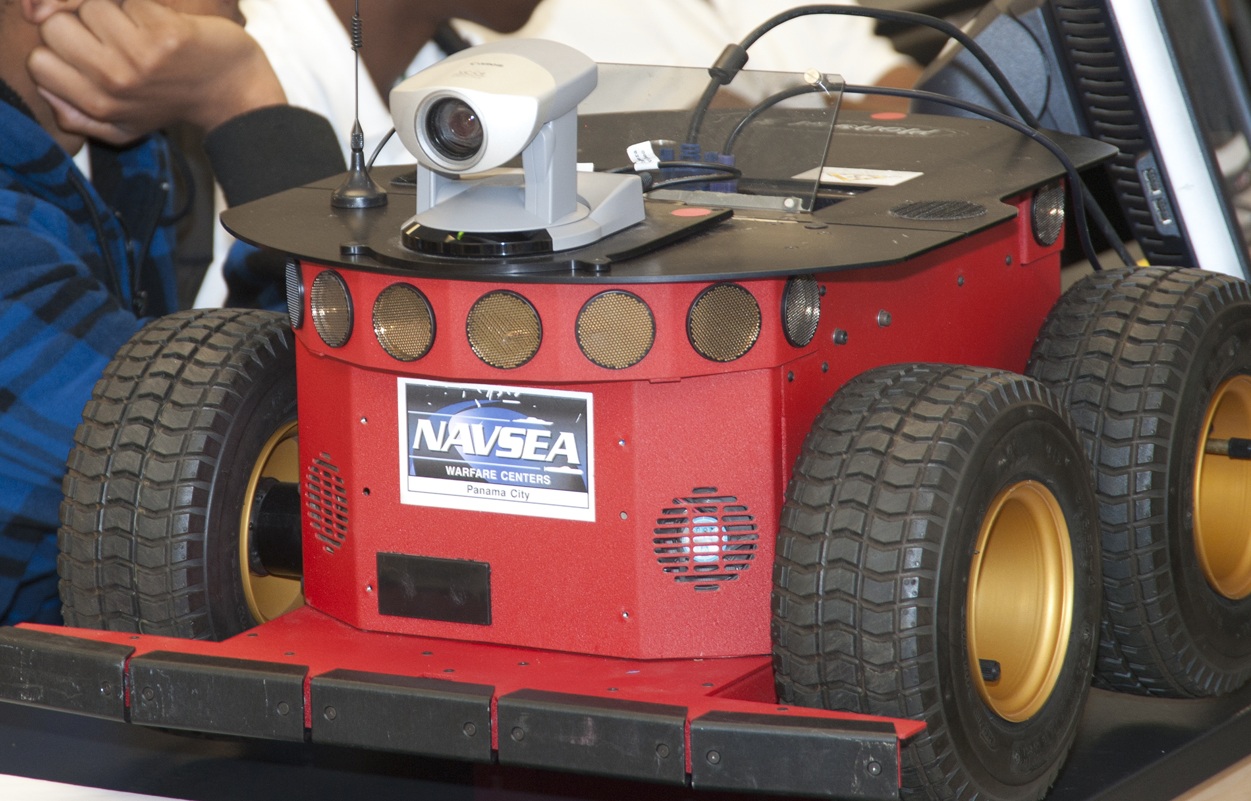
 As you can read in my short autobiography, I love all things science and working with kids. Therefore I especially love getting kids interested in science and feel it’s very important to bring more STEM (Science Technology Engineering Mathematics) into the classroom. Thankfully I work for the US Navy, which has excellent education outreach and STEM programs.
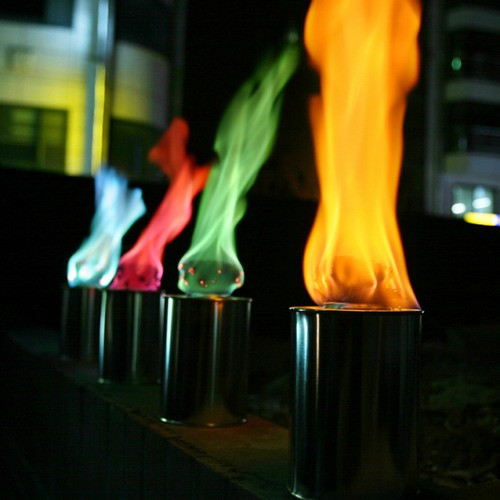 The following is a teaser for my current project inspired by Chris Marion’s Fire Hero. It will be controlled via an Arduino running my PS2 Controller Library much like Chris did, but my approach for the color flaming is radically different. This was the very first flame test to verify proof of concept, but it still needs fine tuning; as you will see in the video.
LED Lighthouse Keeper; DIY Christmas Gift with DIY Retail Packaging
Posted in Projects, Software Libraries, Tutorials by Bill
21 Dec 2010
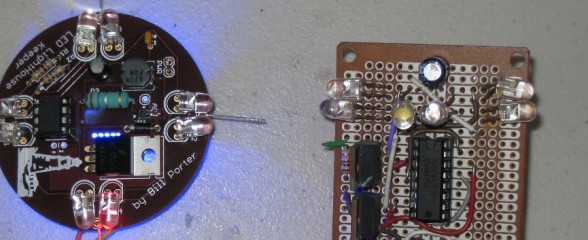
Nothing means more to someone then a gift that took more time to make than money to buy. This is an example of such a gift. Set your way-back-when machines to 2002. Getting ready to finish high school, I had built up some hacker level of electronic knowledge. My parents; both nautical people; have a large lighthouse fountain in their backyard. My mother’s only wish for Christmas that year was for me to build something that would illuminate the lighthouse as if it were a functioning beacon. I obliged, with a circuit consisting of a 555 timer and a 4017 decade counter. It resulted in a simple device that did the job.
14 Comments // Read more..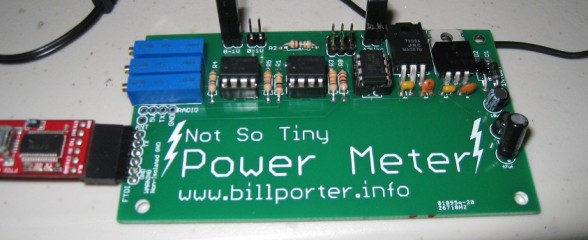
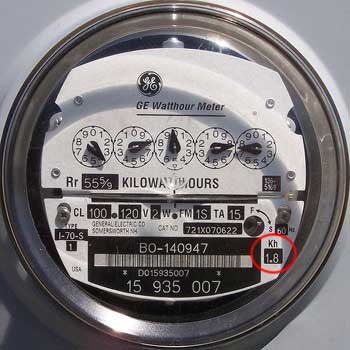 The Kill A Watt is an awesome product; it measures volts, amps and power factor of an individual appliance which can be used to calculate power, cost to run, etc. It’s also quite hackable. But I wanted something that would give me the same data for my whole apartment. After some Googling, the best I could find was this project from picobay, but I didn’t want to invest in an expensive network IO platform. There were also some off-the-shelf solutions, but they too were expensive and limited. Well, time to design my own solution then.

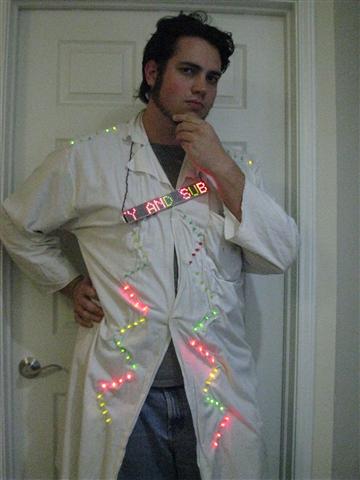 It’s the time again and I bring you an update to my ever aging ‘Mad Scientist’ Halloween costume. What started out as a college budget built led labcoat with just a clock and 4017 decade counter has evolved to include now two Arduino micro controllers. One runs the individual LED rows you see running random patterns. The second runs the scrolling marquee hanging off my chest. Everything is run off a 14.4V Li-Ion battery pack that I custom built. Even the LED Marquee is custom built.
Axon, Webbotlib, Project Designer; An Easy Way To Get Started With It All
Posted in Tutorials by Bill
17 Sep 2010
 Arduino’s are easy, but they have very limited IO and don’t support much hardware off the bat. Great for beginners, but when your ready for the big boy league, the Axon is the way to go. A ton of IO, Uarts and ADC, all in a very small easy to use package. Does your project have a bunch of servos? Building a hexapod? You need the Axon. No shields required.
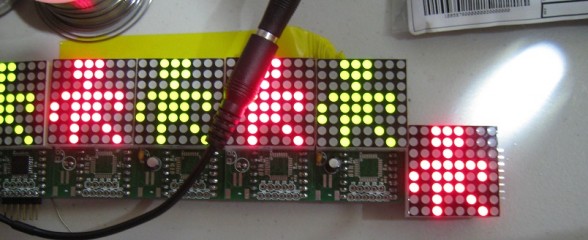
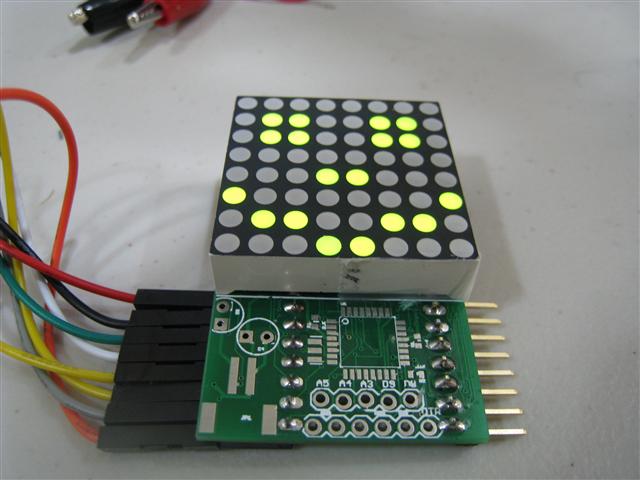 I’ve set out designing what I’d like to call ShiftTrix, a Arduino powered Marquee. The idea is this, low cost LED matrix driver boards that are easy to work with at (hopefully) around $10 a board including the LED matrix itself. A similar serial driven LED matrix can go for $35 per 8×8 matrix. That can add up fast if you want to chain more then one together for a large display. Instead, my design is 1/3 the price, and can easily be chained together to create larger displays.
Ready, Set, Oscillate! The Fastest Way to Change Arduino Pins
Posted in Tutorials by Bill
18 Aug 2010

There are many ways to change an output pin. The way we know and love is the famous digitalWrite() function. (Spoiler: Want a faster digitalWrite? Download Here!)
But even the Arduino Reference claims that it is not the most efficient. The Arduino functions do a lot of error checking to make sure the pin is configured right and has to map Arduino numbering to actual IO ports. All this cost processor cycles, and time. But how much? This article is not to teach you how to useIO registers, you can read about it on the Arduino Port Manipulation page. This is to cover exactly how inefficient the Arduino functions are.
42 Comments // Read more..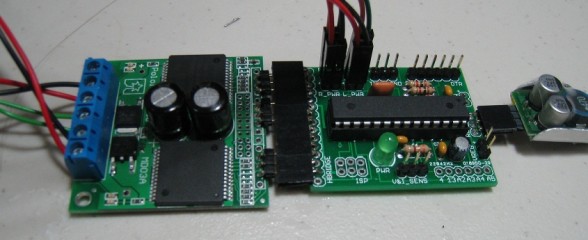
 Hey Guys,
It’s been a while since I posted an update on SAGAR, but here’s the latest.
I wanted her to go faster. My original motors would only do about 1.2 m/s tops. Well, with a little help from a friend, I found new motors that would bring up the top speed to well over 3 m/s. However, they require more current to reach that speed, more then my original controller could handle. So it had to be replaced.
20 Comments // Read more..Getting Data BACK From Google Earth and Into LabView
Posted in Software Libraries by Bill
23 Jun 2010
 I wanted to be able to get information back from Google Earth. It’s already easy to plot information on Google Earth, but getting information back, like the GPS coordinates under the mouse pointer, was another story. Well, I slaved myself to my desk for a few days and figured it out. I created a sample VI program that displays the GPS coordinates of the Mouse over the globe, and captures the coordinates on a left mouse click. It then feeds them back into Google Earth as a point.